Every plan comes with your own company AI, from day one. See what it does

Every issue gets an owner and a due date

Payroll questions, incidents and HR matters each become a numbered case, so everyone knows who has it. The people and the history are in one place.

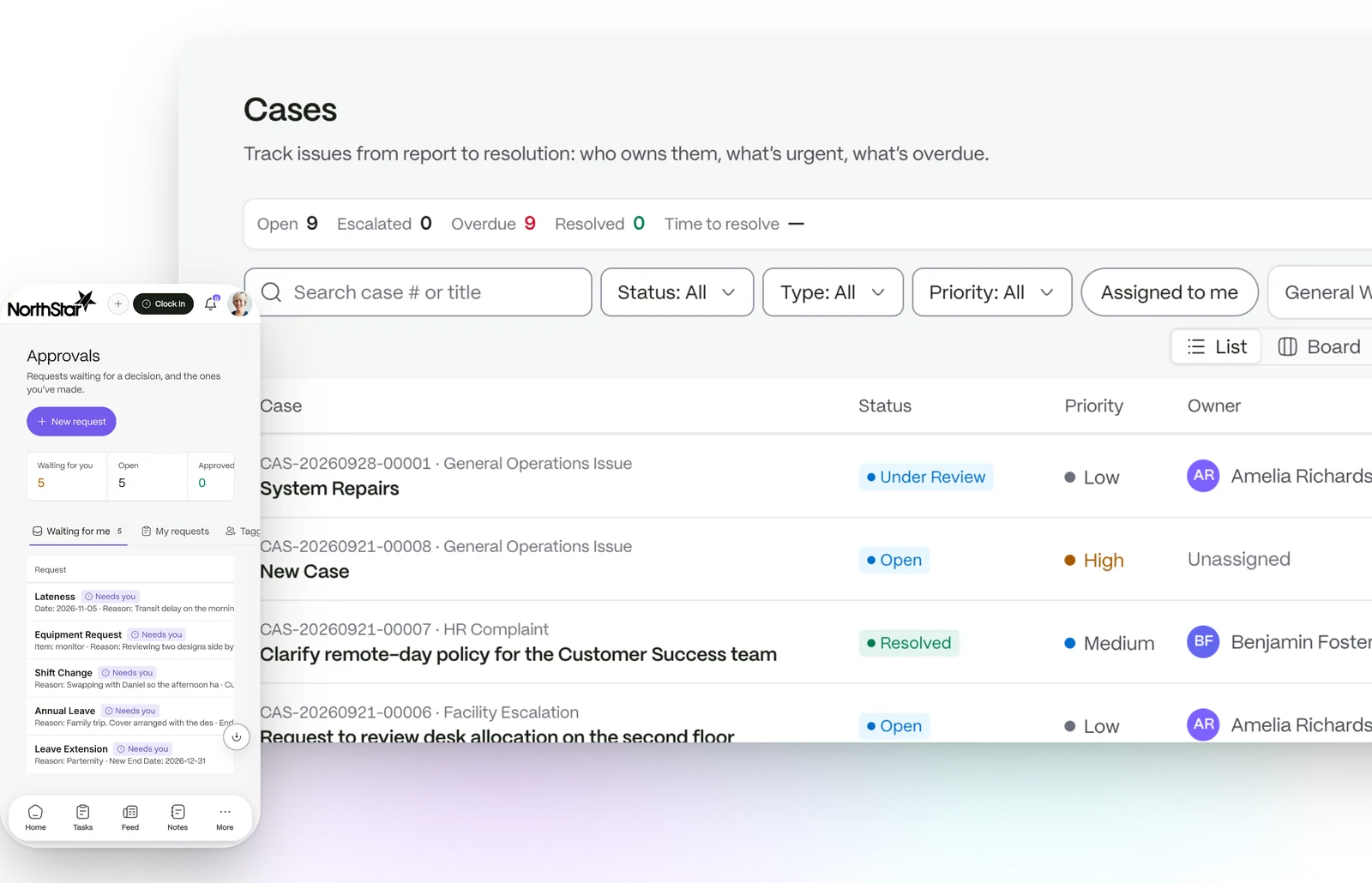
The cases board: every issue with its owner, priority and how overdue it is, and the requests waiting on a decision on a phone

Report it. Assign it. Close it.

  1. 01

    Open a case

    Choose a case type. Its own form asks for the details that type needs.

  2. 02

    It finds its owner

    The case goes to the right person by the rule you set, with a due date from the start.

  3. 03

    Follow it to a close

    Comments, files and escalations stay on the case until it is resolved.

One number to quote in the meeting

Every case gets a dated number such as CAS-20260824-00031, and moves through eight statuses.

  • Open, Under Review, Pending Response, Escalated, In Investigation, Resolved, Closed and Reopened
  • Five types ship: operations, payroll dispute, compliance, HR complaint and facility
  • An intake form for each type
An illustration of a case file

The right person picks it up

Each case type chooses how cases are assigned: manually, by workload, auto route, round robin or by skill.

  • Workload picks the person with the fewest open cases
  • Skill based matches the words in the case to profiles
  • People see cases they raised, own or work on
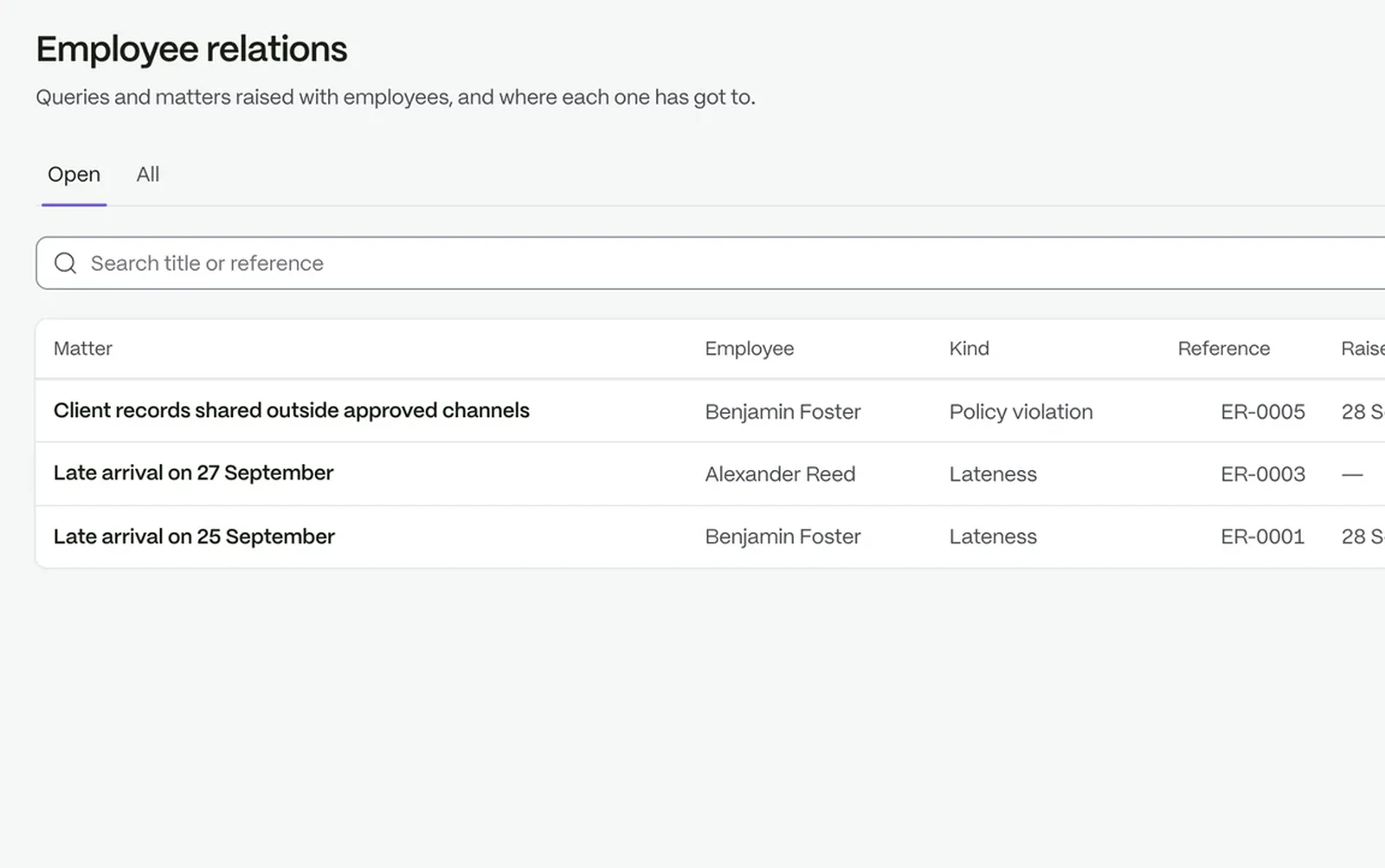
Employee relations: matters raised, who they concern and where each one has got to

Everyone can see when it is due

Five priorities each carry a resolution target, from Emergency to Low. Your own rules can set a different date for a type or priority.

  • Figures for open, escalated, resolved and overdue cases
  • Export the list to CSV
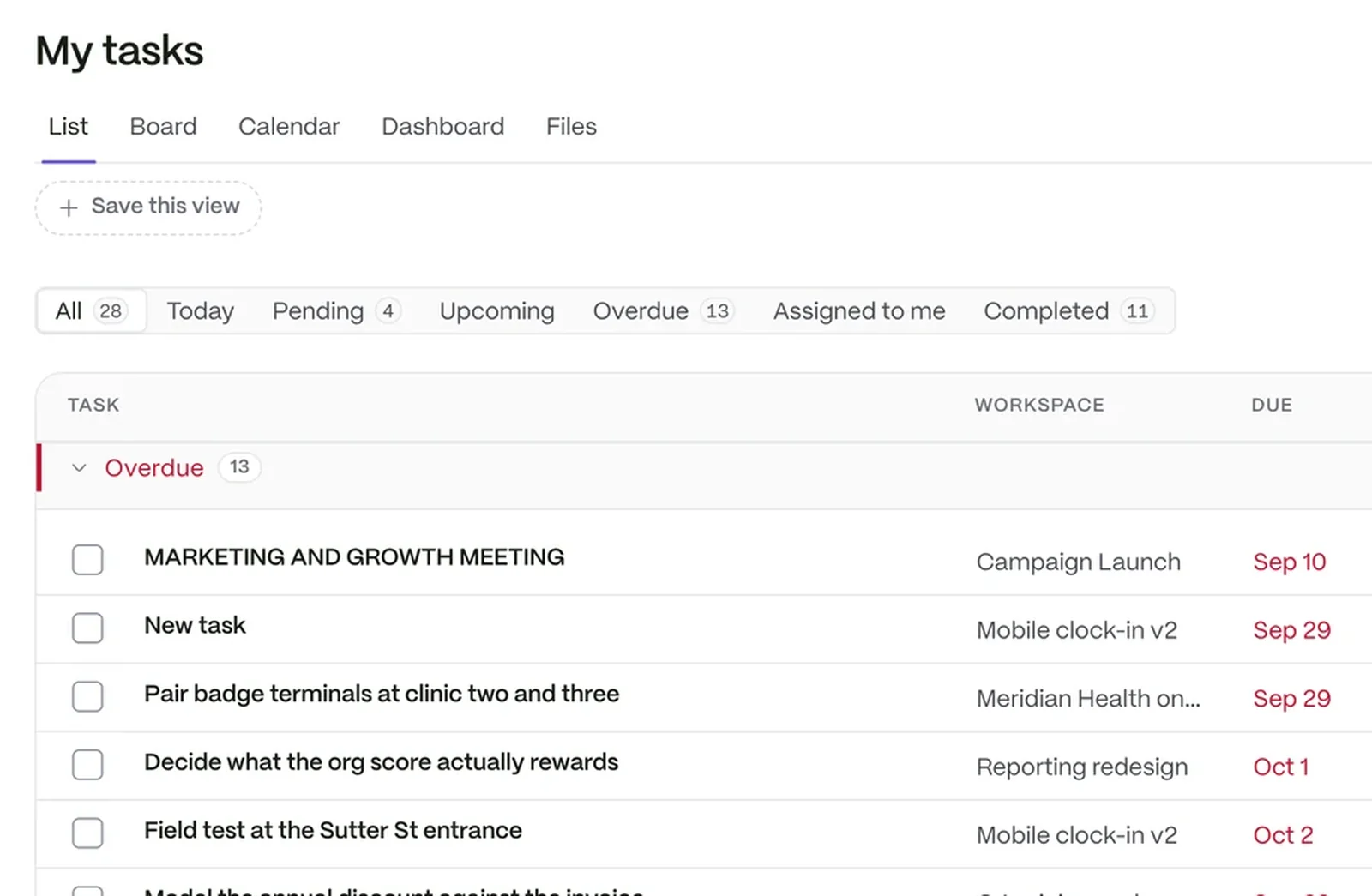
A task list showing each task’s workspace, due date, priority and who it is assigned to

Raise it, with the reason on record

Anyone with the permission can escalate a case from its page. The level rises, the status changes and the right people are told.

  • The reason is written on the case
  • One timeline of activity, comments and files
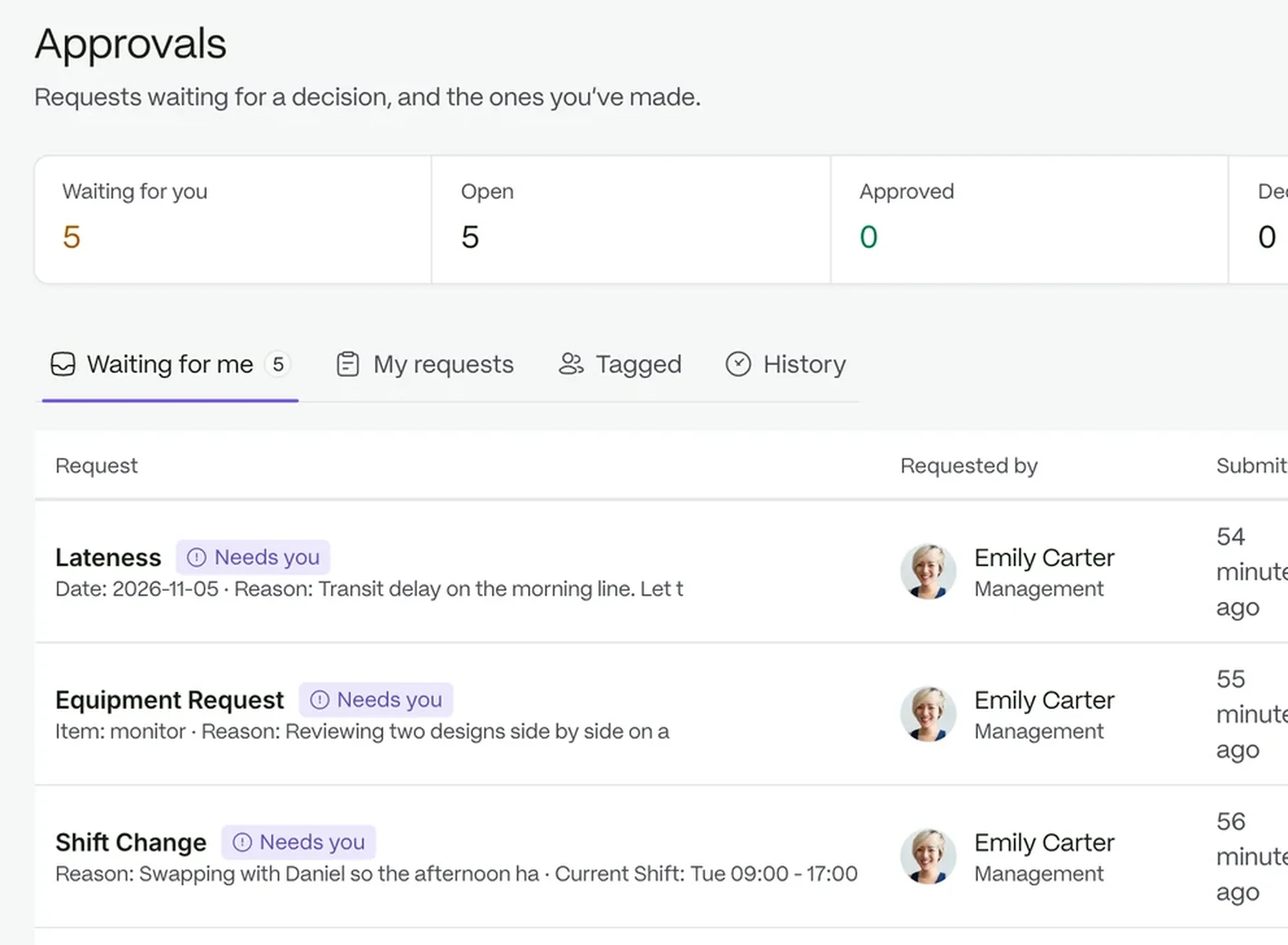
The approvals queue, with each request and the stage it has reached

Ask what the policy says before you decide

Your company AI answers from your own policies and documents, so the case is handled the way your business says.

Views that fit how people work

Questions people ask

Can we add our own case types?

Yes. Each type has its own default status, priority and intake form.

Who sees a case?

The person who raised it, the assignee, the team and anyone it was assigned to, plus admins.

Can we report on cases?

Yes. See open, escalated, resolved and overdue counts, and export the list to CSV.

The workspace your people will love to use.

Try it with your own team. Your own company AI comes with every plan.