Every plan comes with your own company AI, from day one. See what it does

Open one board and the day is already sorted

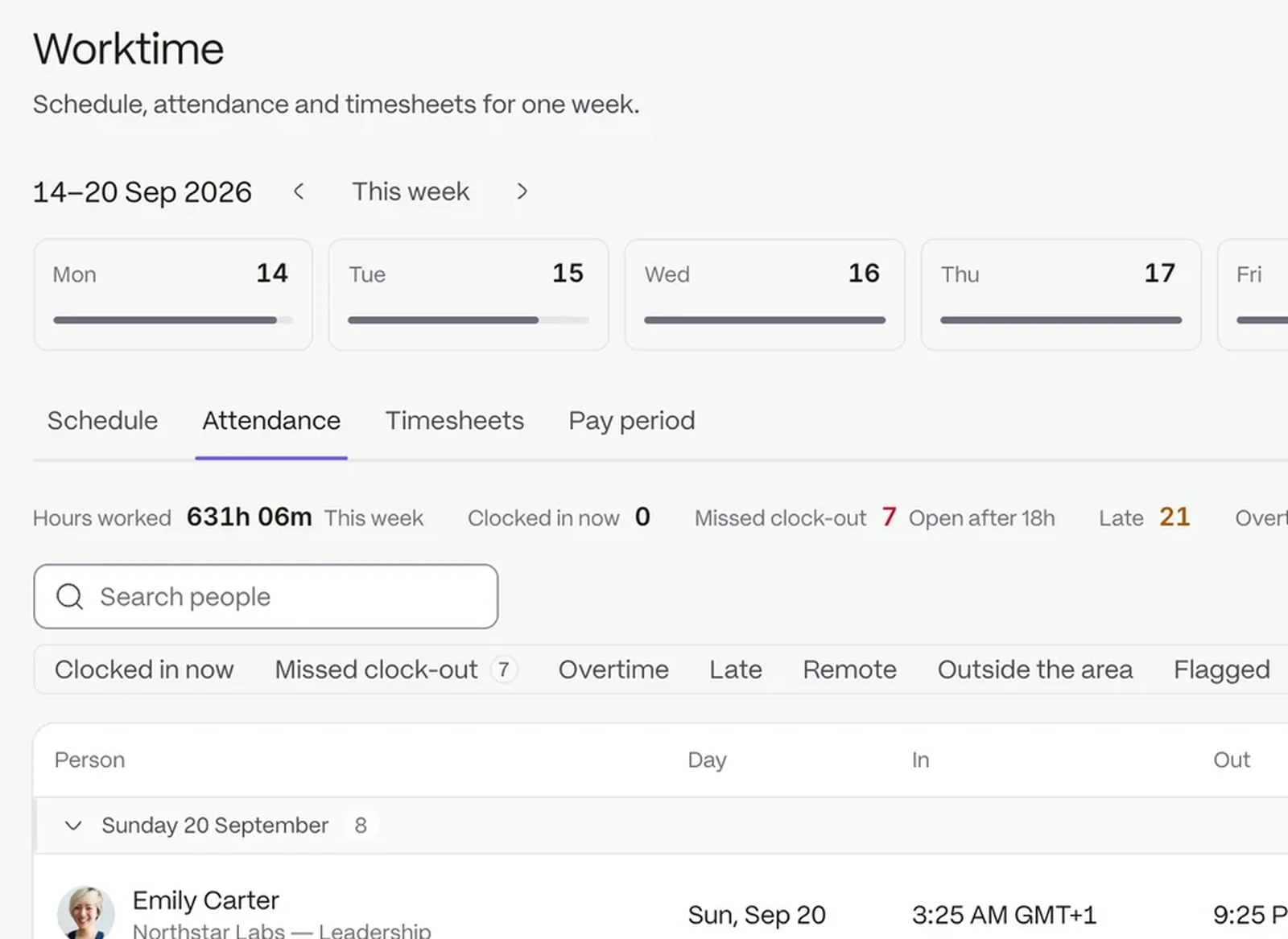
Know who is present, who is late and who clocked in away from the site without asking anyone. Requests, exceptions and timesheets wait in one place.

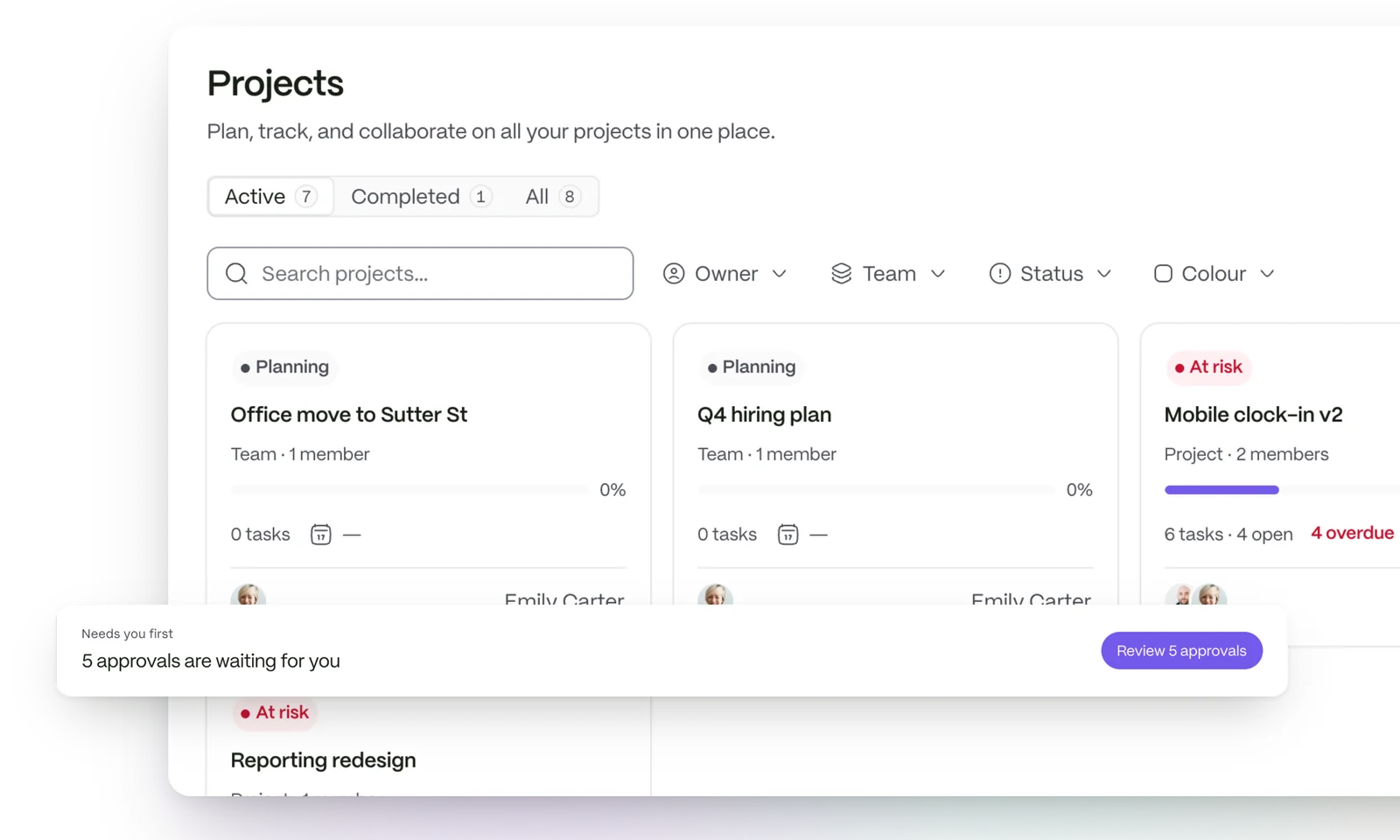
The projects board with every project, its owner and what is overdue, and the approvals waiting for a decision pulled clear

From the first clock-in to the last decision

  1. 01

    See the day

    The attendance board shows who is in, late or remote, by day, week or month.

  2. 02

    Clear what needs a decision

    Requests and exceptions arrive in a queue with the person who owns them.

  3. 03

    Close the week

    Review timesheets and keep a record of how every decision was made.

See which request is about to run late

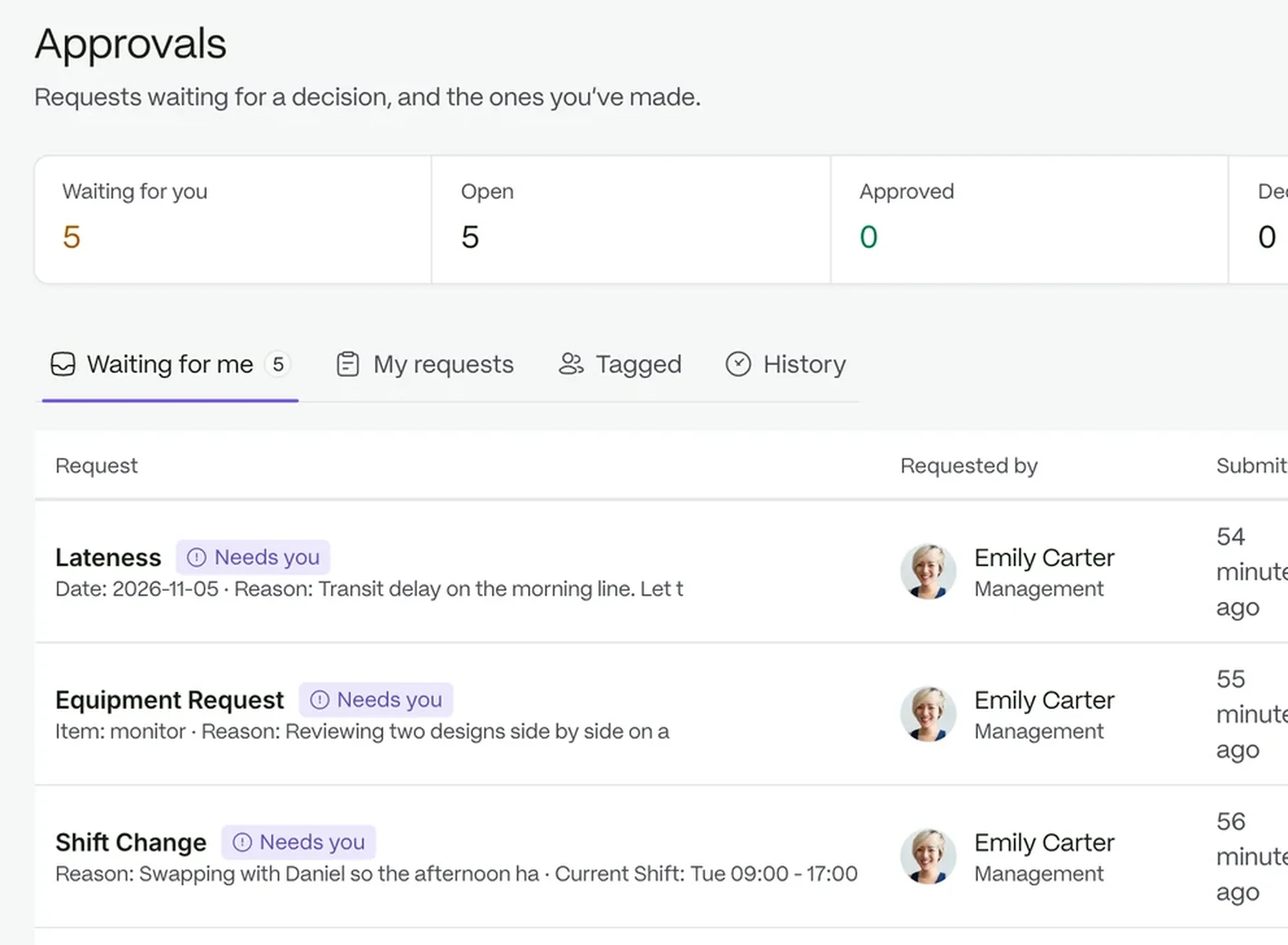
Each pending request carries a timer, and the ones that are yours say so. Open one to see the requester, the stage and every step so far.

  • The approver is a rule: by role, by department or a named person
  • Leave, attendance and shift requests come ready to use
  • Breaches and escalations show on the request itself
See requests and approvals
The approvals queue with each request, its stage and its timer

Find a missed clock-out the same day

Late clock-ins, missed clock-outs and overtime are detected automatically. Each lands on the record it belongs to and is reviewed to a decision.

  • Detected, not reported
  • Pending, then approved or rejected, with a note on file
  • A session left running can be closed by a reviewer
See time and attendance
Attendance records with flagged exceptions

Build each week’s timesheets in one step

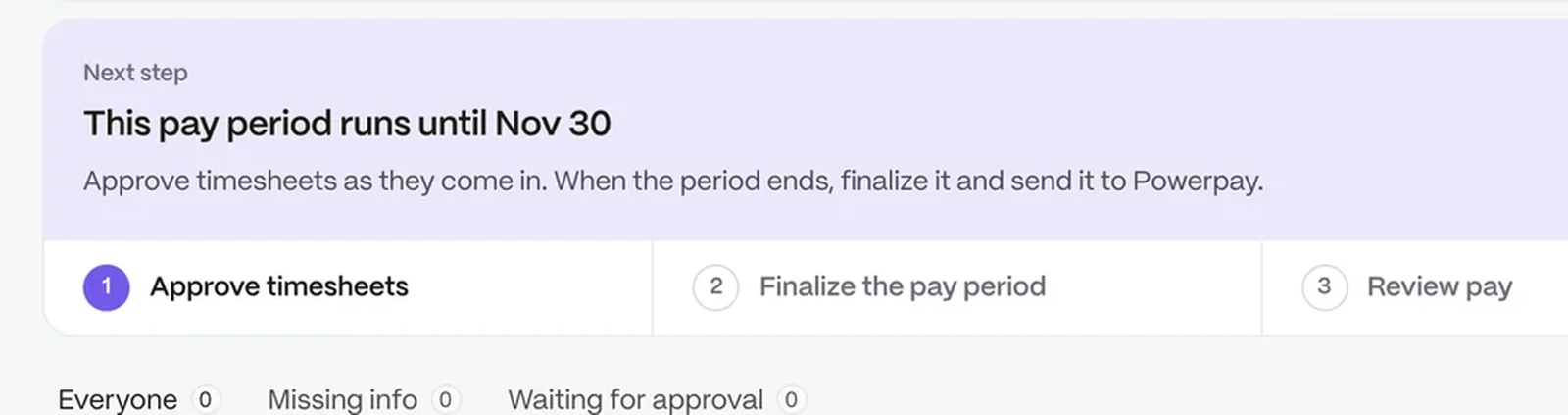
Generate This Week turns clock events into a timesheet per person, with overtime called out. A reviewer can adjust a day before approving.

  • Flags mark the days that need a look
  • Weeks already closed for payroll are skipped
  • Draft, Submitted, Approved or Rejected at a glance
A pay period part-way through: approve timesheets, finalise the period, review pay and export it

Turn the clipboard into a form

Incident reports and equipment requests become forms with text, dates, file uploads and signatures. Anything that needs follow-up becomes a case with an owner.

  • Ready-made templates you adjust, then publish
  • Every form lists its responses and exports in one click
  • Cases keep an owner and a clear close
See case management

Keep every shift and request moving

Ask what is waiting on you

Your company AI answers from your own records and documents, inside the permissions each person already has. It is included in every plan.

Questions people ask

Can I change who approves what?

Yes. Each step names its approver by role, by department or as a person.

Can I export attendance?

Yes. The attendance board exports to a file, with the columns you choose.

Does it work for several sites?

Yes. Each location has its own clock-in radius and timezone.

Run the day from one board

Start a free trial, or book a demo and see it with your own setup.