Every plan comes with your own company AI, from day one. See what it does

Run every shift from the phone in your pocket

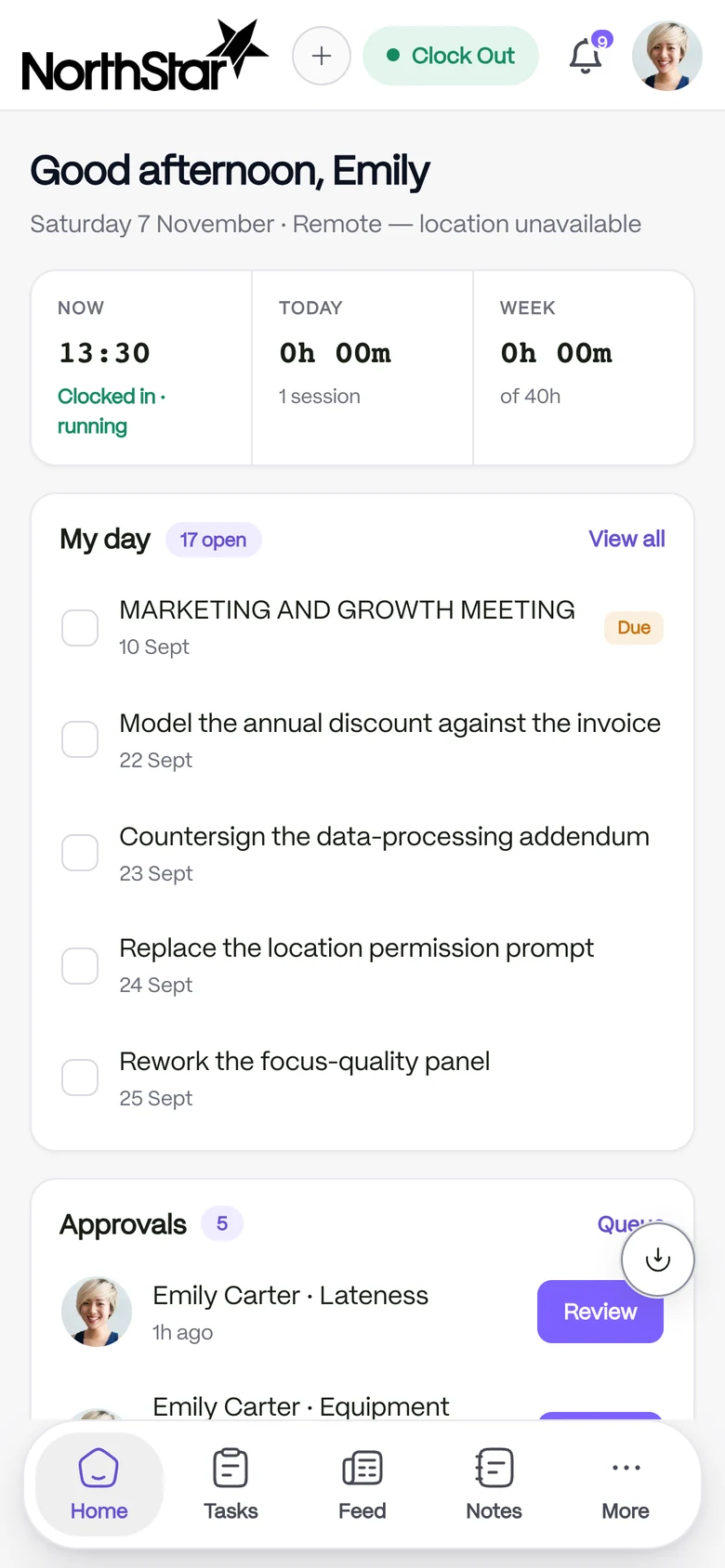
Start the shift with one tap and know the right place is on record. The day’s tasks and the week’s hours sit on the same screen.

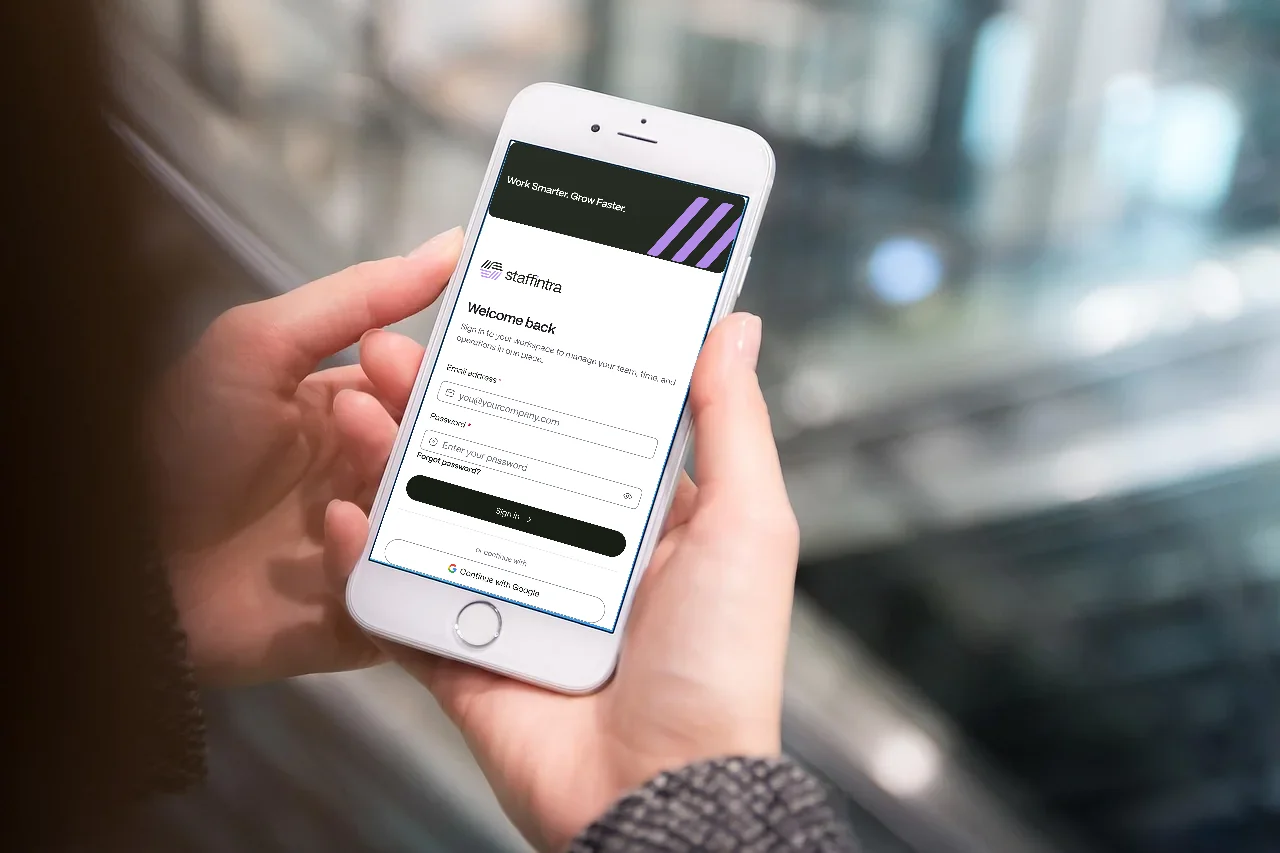
A hand holding a phone with the StaffIntra sign-in screen open on it

From first clock-in to approved hours

  1. 01

    Clock in from the phone

    Your team taps once, and the place is checked and kept with the event.

  2. 02

    Work the day from one screen

    See the whole day at once. Tasks, due dates and any approval waiting sit together on the home screen.

  3. 03

    Approve the week

    The week becomes a timesheet for you to approve, and once approved it stays put.

No paper timesheet filled in from memory on Friday

Clock in from the phone and the location is checked on the spot. A weak signal is flagged, never silently trusted.

  • Up to three GPS attempts before an event is accepted
  • Breaks pause the work timer
  • More work after a completed day starts as a deliberate overtime session
See time and attendance
The mobile home screen with the clock running and hours for the week

Know which site each clock-in belongs to

Where someone clocked in is on the record. Every location has its own clock-in radius and timezone, a clock-in inside the fence counts at that site, and outside it the event is kept and labelled off-site.

  • A radius for each site
  • Work away from the office shows as working off-site, not as absence
  • Moving a person to another site is a request, tracked like any other
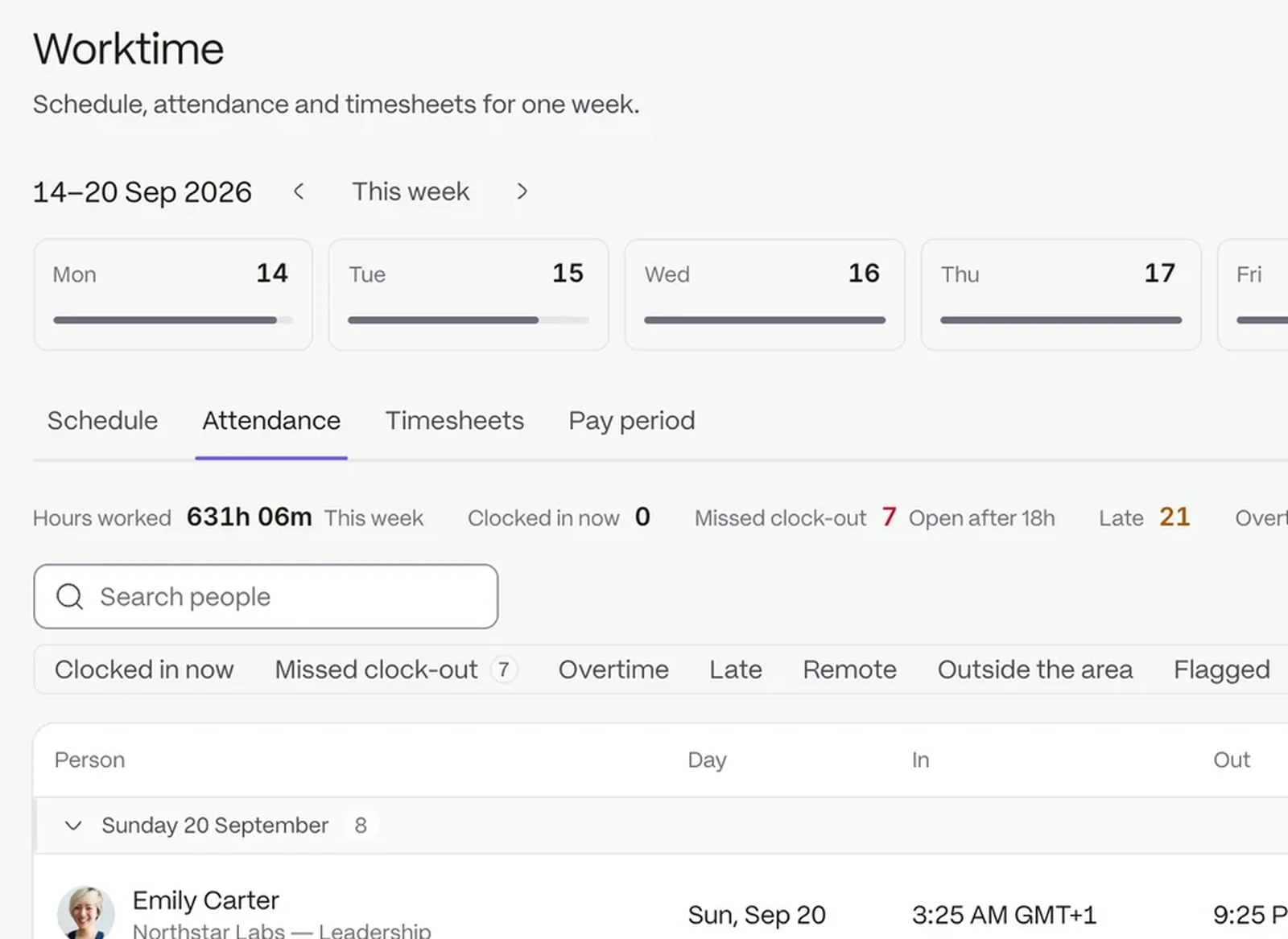
The attendance board: status tiles and every clock event of the day

The day’s to-do list, in the same pocket

See what is due and tick it off in one tap. Open tasks show their due dates, and supervisors see requests waiting for review on the same screen.

  • Urgent tasks carry a Due chip
  • Done from the row, no detail screen needed
  • Review and decide between two customers
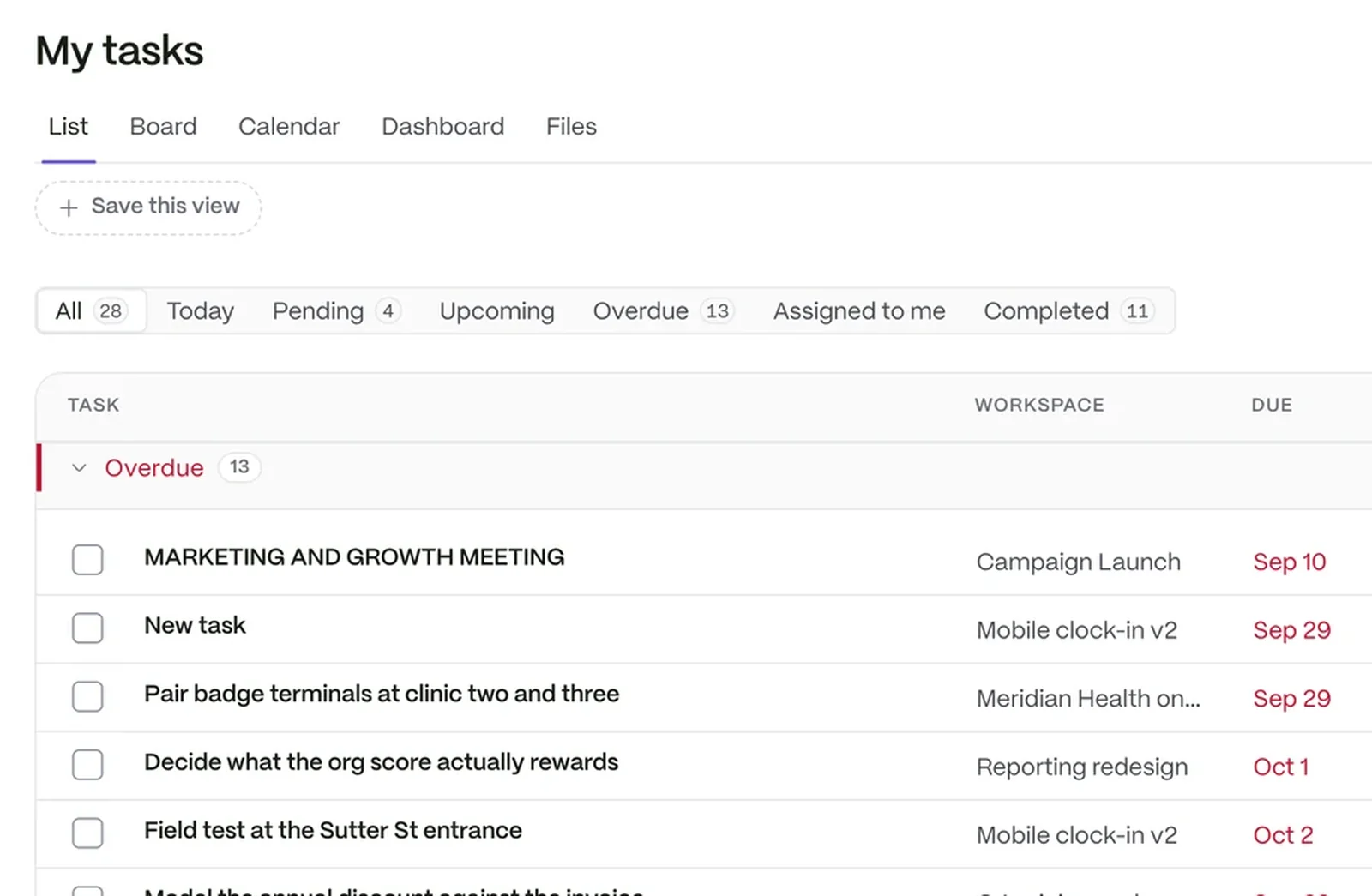
A task list showing each task’s workspace, due date, priority and who it is assigned to

Hours everyone agreed on, before payday

The week is settled before anyone has to remember it. Clock events become a timesheet that moves from Draft to Submitted to Approved, with overtime on its own line.

  • Approved weeks are locked
  • Overtime is never blended into regular hours
  • Ready when payroll preparation starts
See payroll preparation
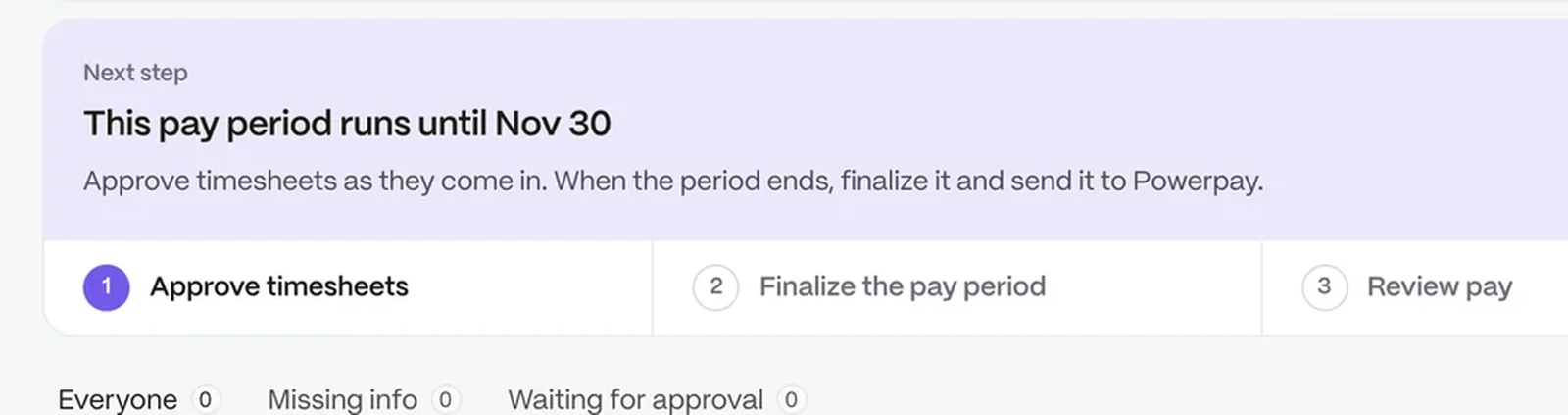
A pay period part-way through: approve timesheets, finalise the period, review pay and export it

Everything a shift team needs, nothing it does not

Ask who is on shift, or what the policy says

Your company AI answers from your own records and documents, inside the permissions each person already has. It is included in every plan.

Questions people ask

Does my team need a laptop?

No. Clocking in, tasks, requests and the inbox all work from a phone.

What happens with a weak signal?

The clock-in is flagged for review instead of being trusted blindly, so your managers can decide.

Can each site have its own rules?

Yes. Each location has its own clock-in radius and timezone.

What does it cost?

Plans are priced per active user, with a free trial. See pricing for the detail.

Put the workday in every pocket

Start a free trial, or book a demo and see it with your own setup.