Every plan comes with your own company AI, from day one. See what it does

Keep every shift and request moving

Spot what is stuck before it grows. Clock-ins, change requests and issues all sit in one place.

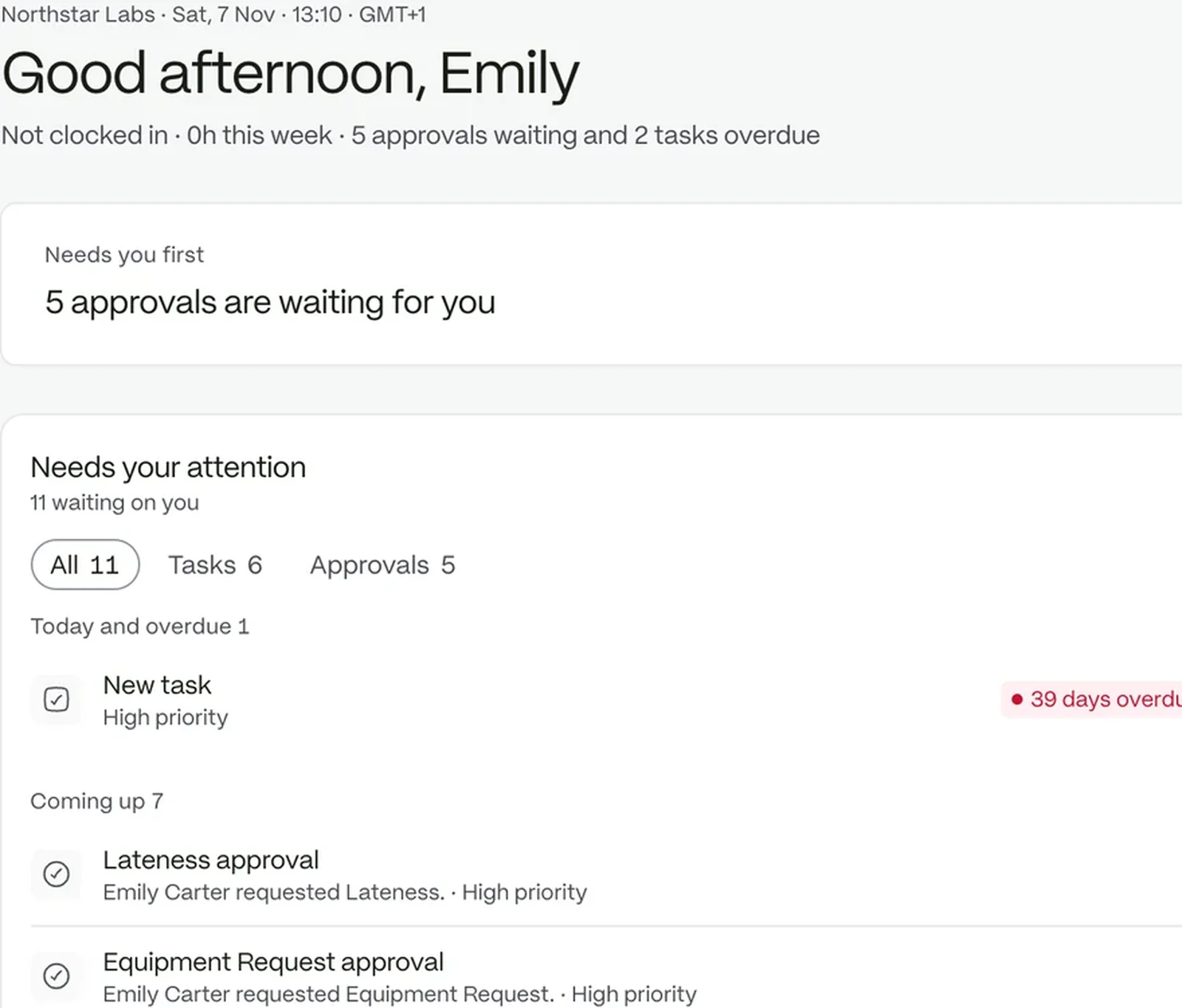
The workspace home: what needs attention, today’s schedule and open tasks

See it, decide it, close it

  1. 01

    Watch the board

    Clock events appear on the attendance board as they happen, with exceptions flagged.

  2. 02

    Decide what is waiting

    Shift changes and schedule adjustments arrive as requests with an approver.

  3. 03

    Track the problems

    Raise a case when something goes wrong and follow it to a clear close.

Know who is in and who is not

See who clocked in at the right place. Each clock-in is checked against the location’s coordinates and radius, and keeps the location, device and rule applied.

  • Lateness and early departures raised as exceptions
  • A manager’s correction keeps the original time beside the new one
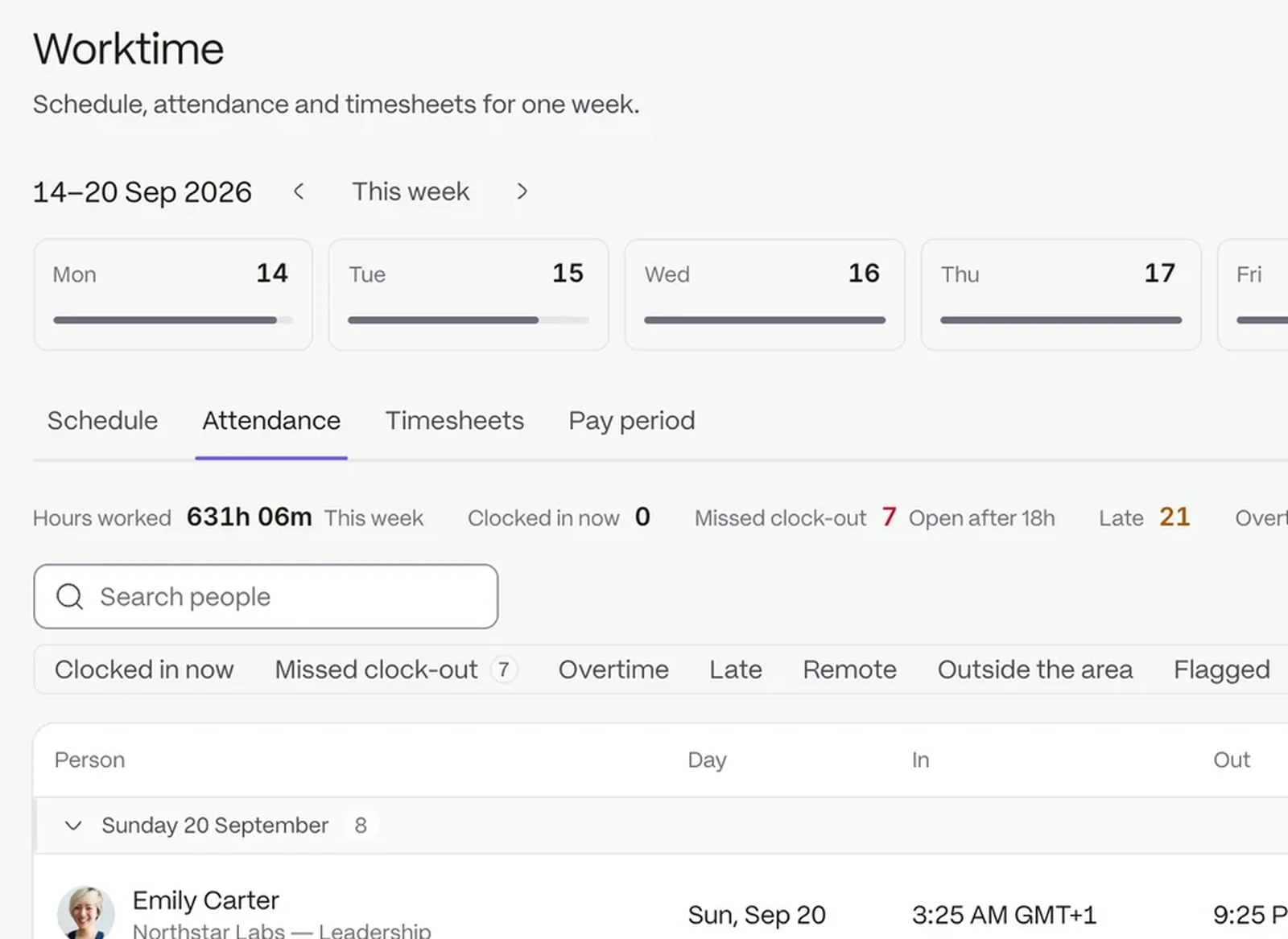
The attendance board with clock events and exceptions

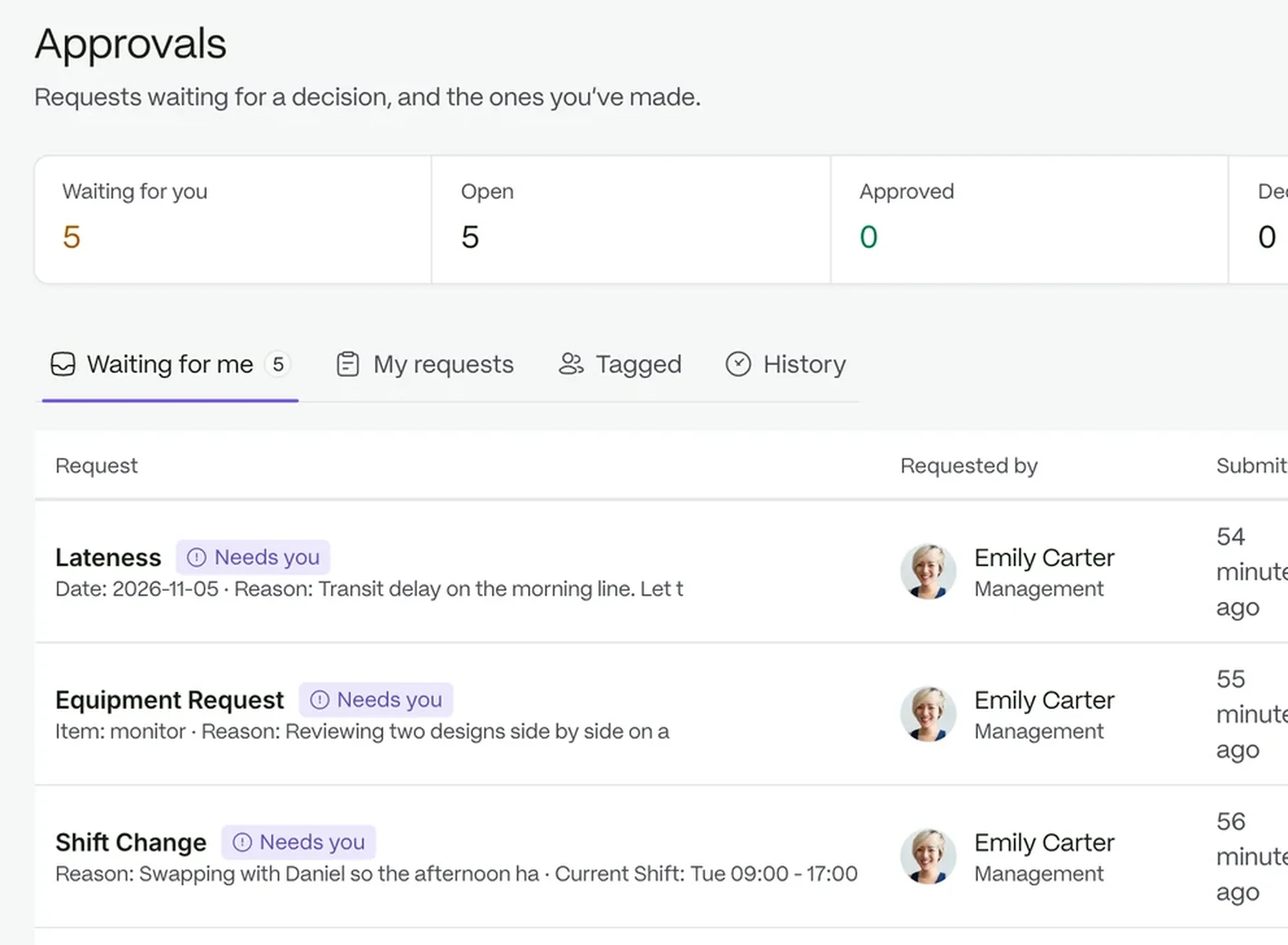
Shift changes with an owner

Every change reaches someone who can decide it. Location change, schedule adjustment and shift change each have their own approval steps.

  • Deadlines move a request to breached or escalated
  • Action needed shows only where a step is yours
The approvals queue with requests waiting

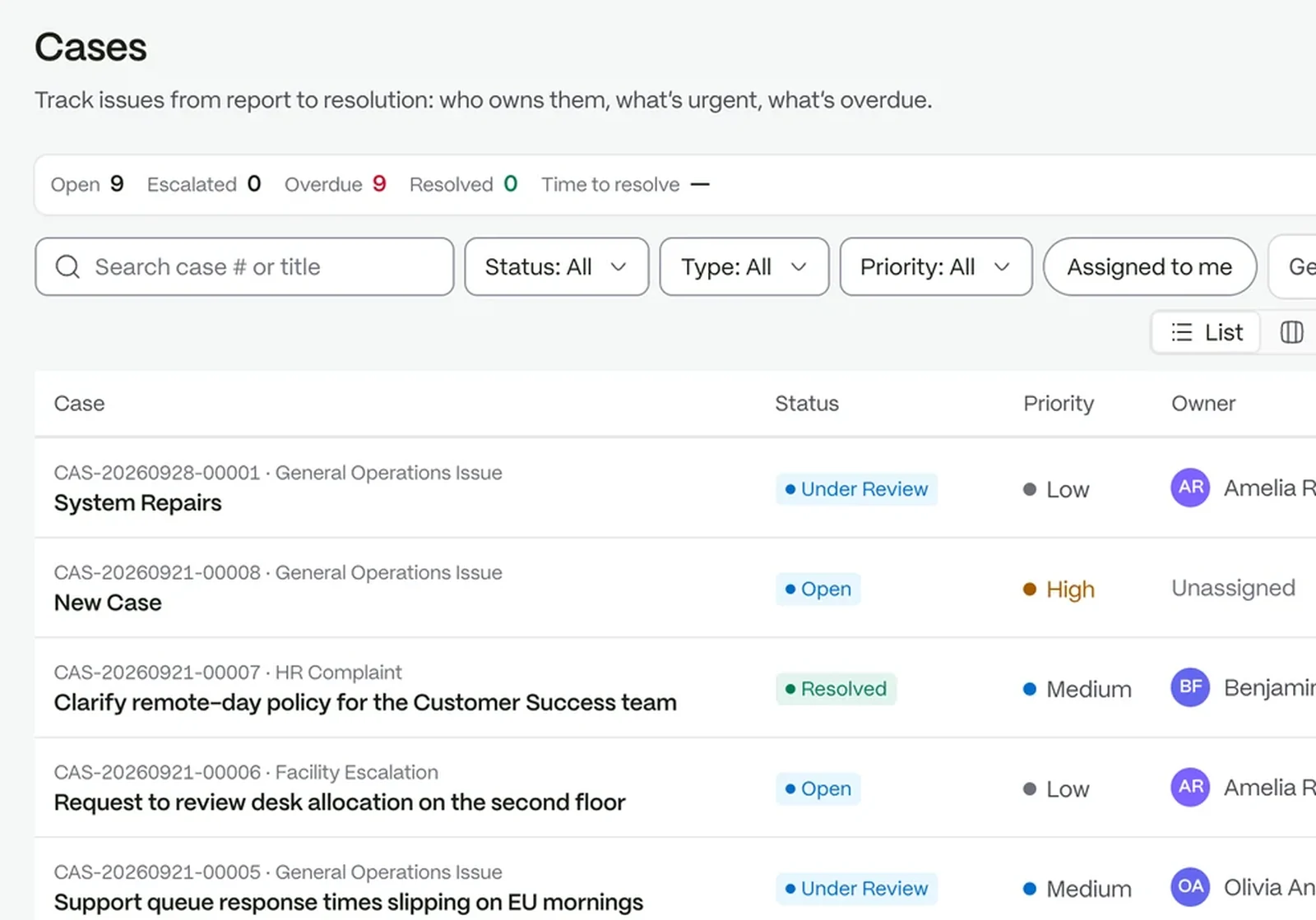
Issues get a number and a path

Every issue has a reference, a priority and a status, and any escalation is logged on the case itself.

  • Priorities from Low to Emergency, each with a response time
  • Activity, comments and attachments in one timeline
The cases board: issues from report to resolution, each with an owner, a priority and what is overdue

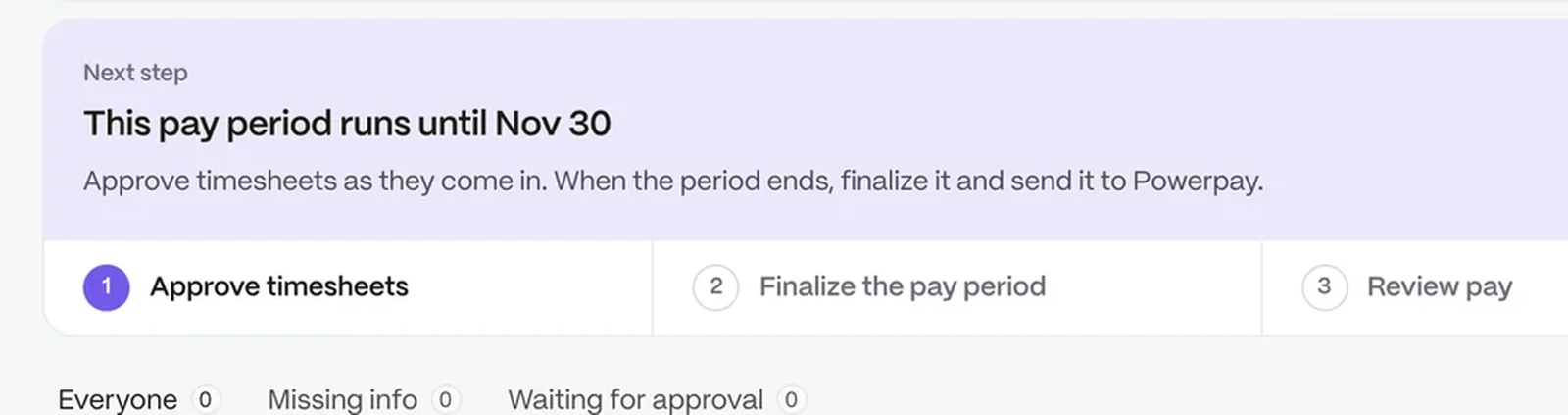
Weekly hours without re-entry

Nobody types the week in twice. Timesheets are generated from the clock events already recorded.

A pay period part-way through: approve timesheets, finalise the period, review pay and export it

Run the day with fewer calls

  • Spot exceptions earlySee lateness and unusual clock events as they arrive.
  • Escalate with a reasonRaise a case to the next level, and the people involved are notified.
  • Share updatesPost an announcement to the sites or groups that need it.

Every event keeps its receipt

Clock events, decisions and escalations are recorded, so you can review what happened and why.

Questions people ask

Can clock-ins be limited to a site?

Yes. Each location carries coordinates and a radius, 200 meters by default.

Can I see how long issues take?

Case analytics shows open, escalated and resolved cases and average resolution time.

Who can escalate a case?

Only people whose permissions cover escalating, and the server checks that again.

The workspace your people will love to use.

Try it with your own team. Your own company AI comes with every plan.