Every plan comes with your own company AI, from day one. See what it does

Pay starts from hours that really happened

Nobody types hours in twice. Payroll reads the hours already approved in attendance and the people already on record, then gives you a file for your payroll provider.

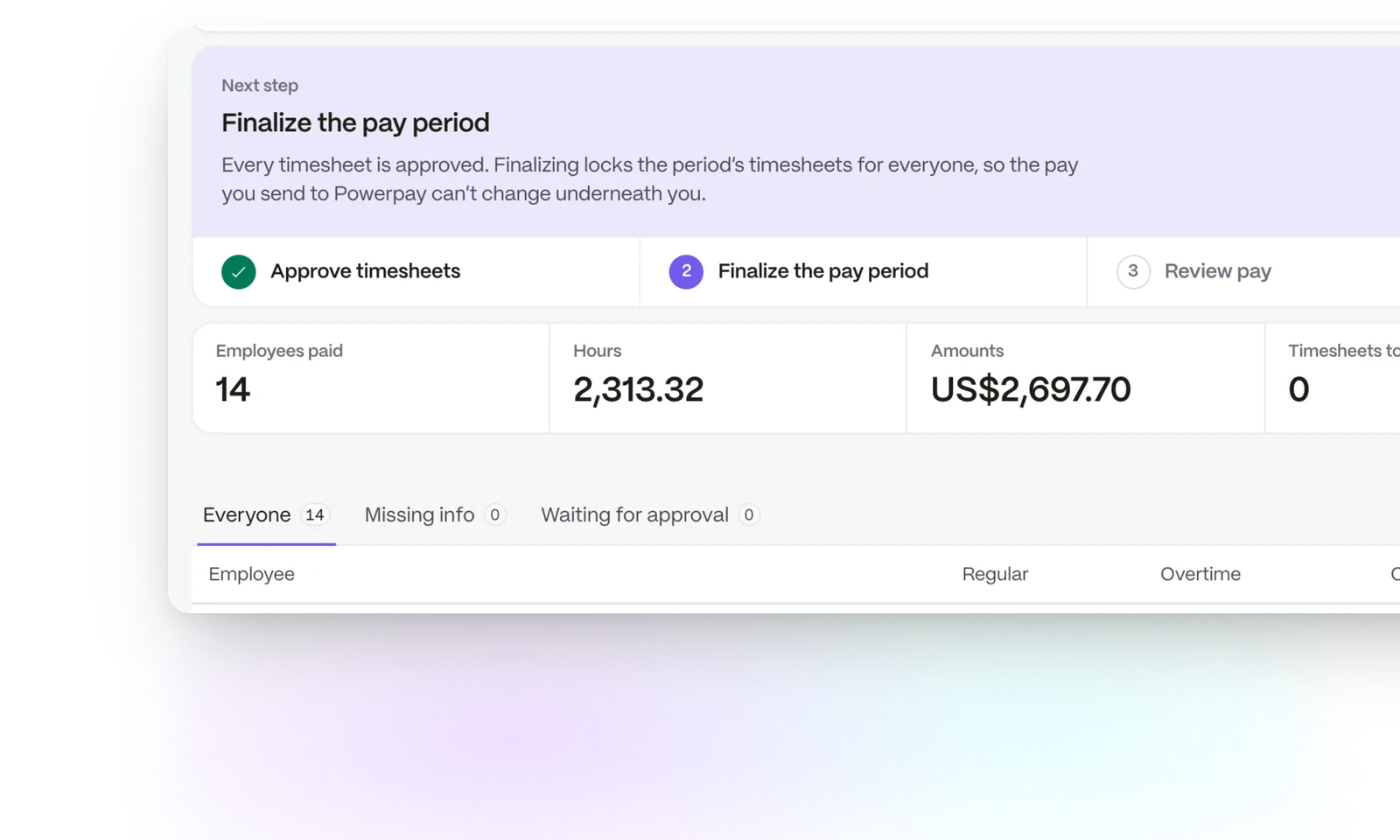
A closed pay period: every timesheet approved, 2,313 hours and the bonuses and reimbursements claimed that month, with the summary lifted out in front

Approve the hours. Export the file.

  1. 01

    Hours are approved

    Managers approve timesheets in attendance, as they do every week.

  2. 02

    Pay is prepared

    Payroll uses those hours and the person and role details from HR. Nobody enters them again.

  3. 03

    You export a file

    Download a Ceridian-format CSV for your payroll provider.

No second timesheet

Payroll does not keep its own record of who worked when. It reads attendance, so the numbers going out match the ones your managers approved.

  • Regular hours, overtime and breaks come across as recorded
  • Roles and details come from the people record
  • A change in one place shows in both
See time and attendance
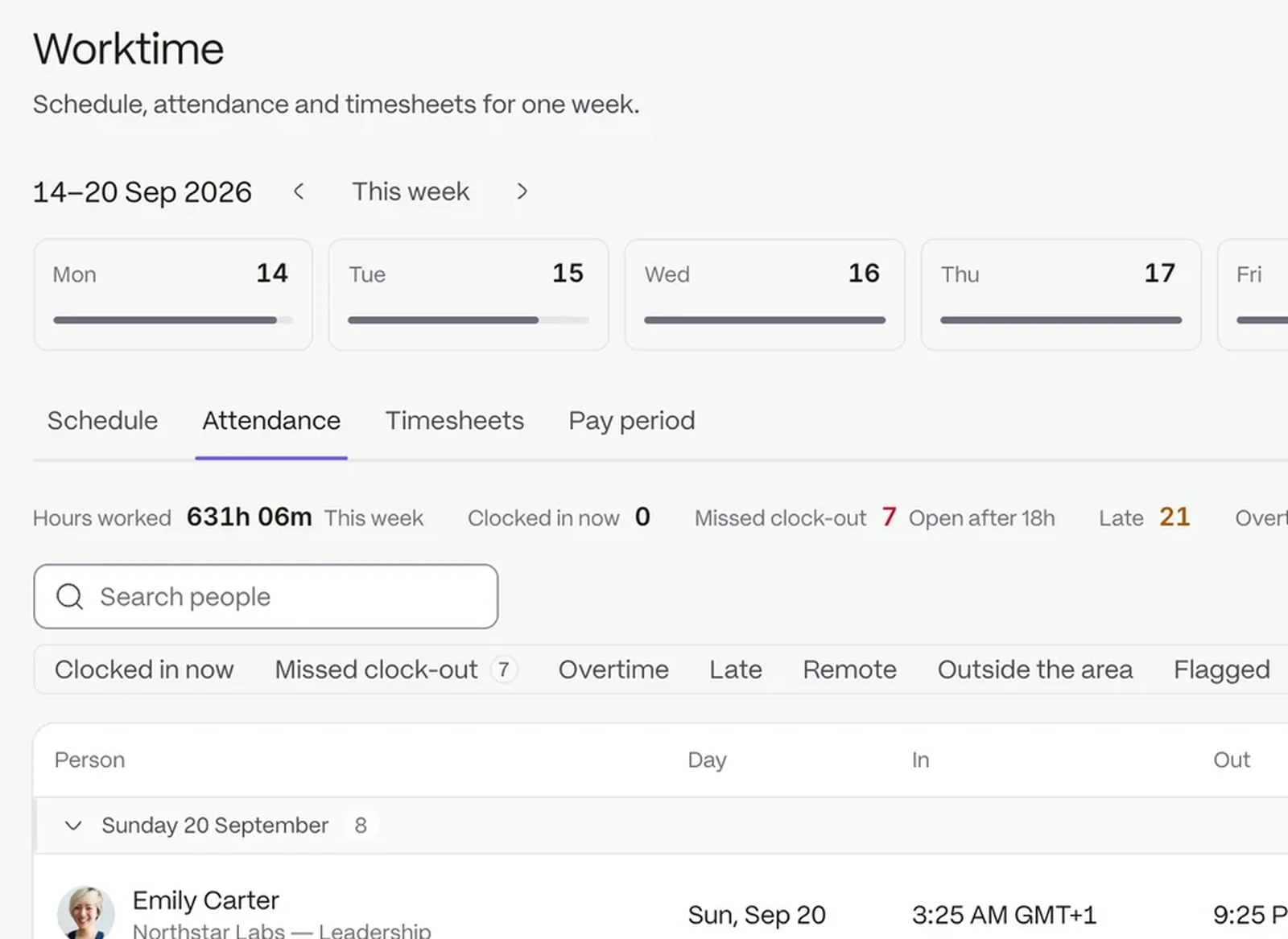
The attendance board: who is in, who is late and who is away

A Ceridian-format file, ready to use

Payroll includes a built-in export to the Ceridian Dayforce standard format, with its earning codes and a mapping from your own pay components.

  • Nothing to connect or switch on first
  • Components map to earning codes where names line up, or you set the mapping
  • Only people with the export permission can run it
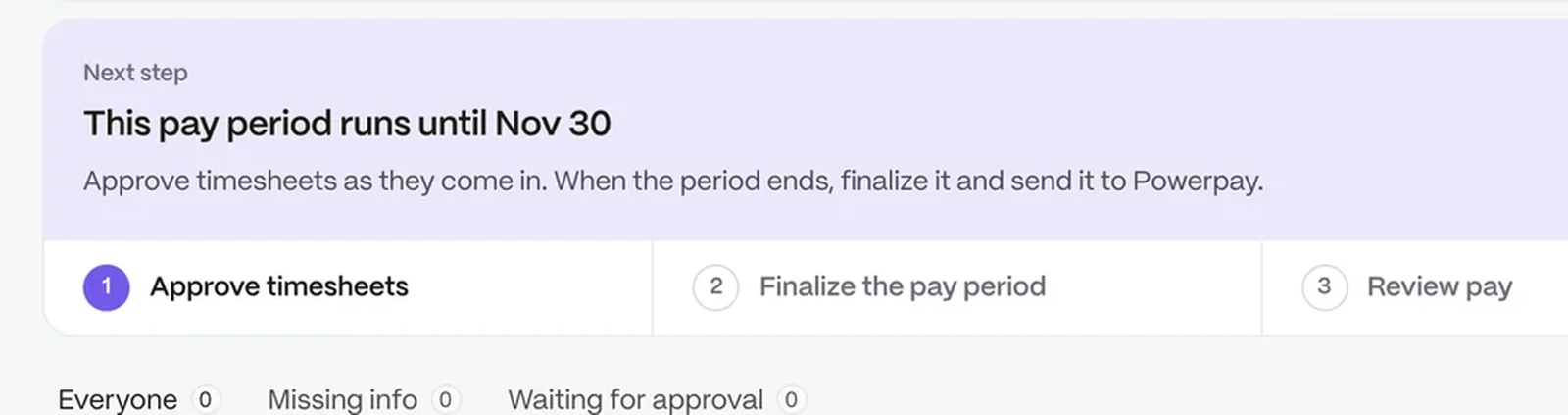
A pay period part-way through: approve timesheets, finalise the period, review pay and export it

Extras sit beside the hours

Bonus, commission, reimbursement, per diem and holiday pay are kept on the same record as the hours they belong to.

  • One place to check before you export
  • Access follows each person’s role
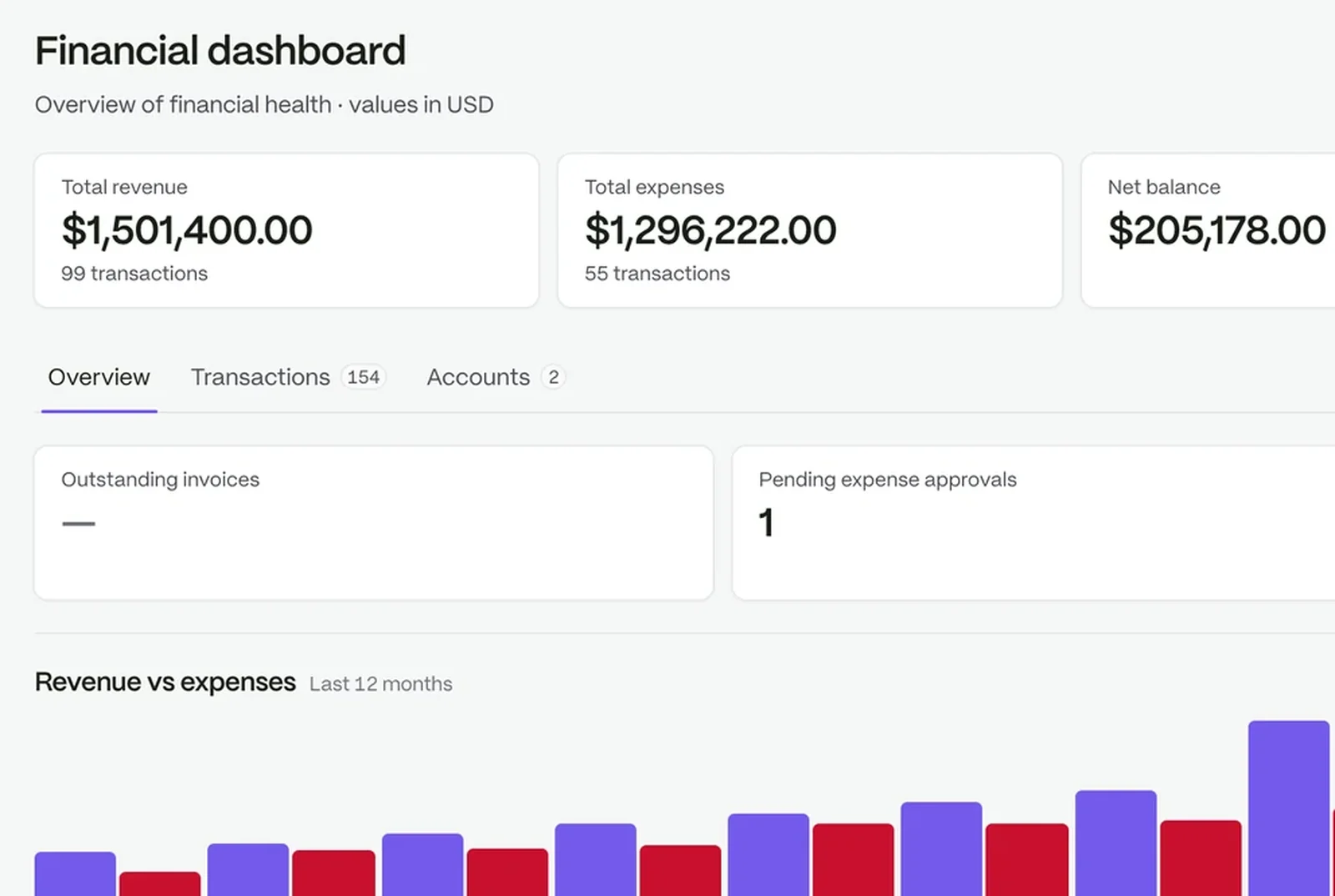
A financial dashboard: revenue, expenses, net balance and twelve months of cash flow

Preparation, not a payroll provider

Payroll prepares your pay information from approved hours, applies the allowances and deductions you set up, and produces payslips your team can open. It does not apply your country’s statutory tax rates, so you keep your payroll provider for the final run.

Questions people ask

Does StaffIntra run payroll?

It prepares your pay information. You export a file and run payroll with your provider.

Which export formats are there?

A Ceridian Dayforce standard format export is built in.

Do we enter hours again?

No. Payroll reads the hours already recorded in attendance.

The workspace your people will love to use.

Try it with your own team. Your own company AI comes with every plan.