Every plan comes with your own company AI, from day one. See what it does

Grow without the chaos

More people, more locations, more managers, and everyone still working from the same page. Roles, approvals and records give it clear lines.

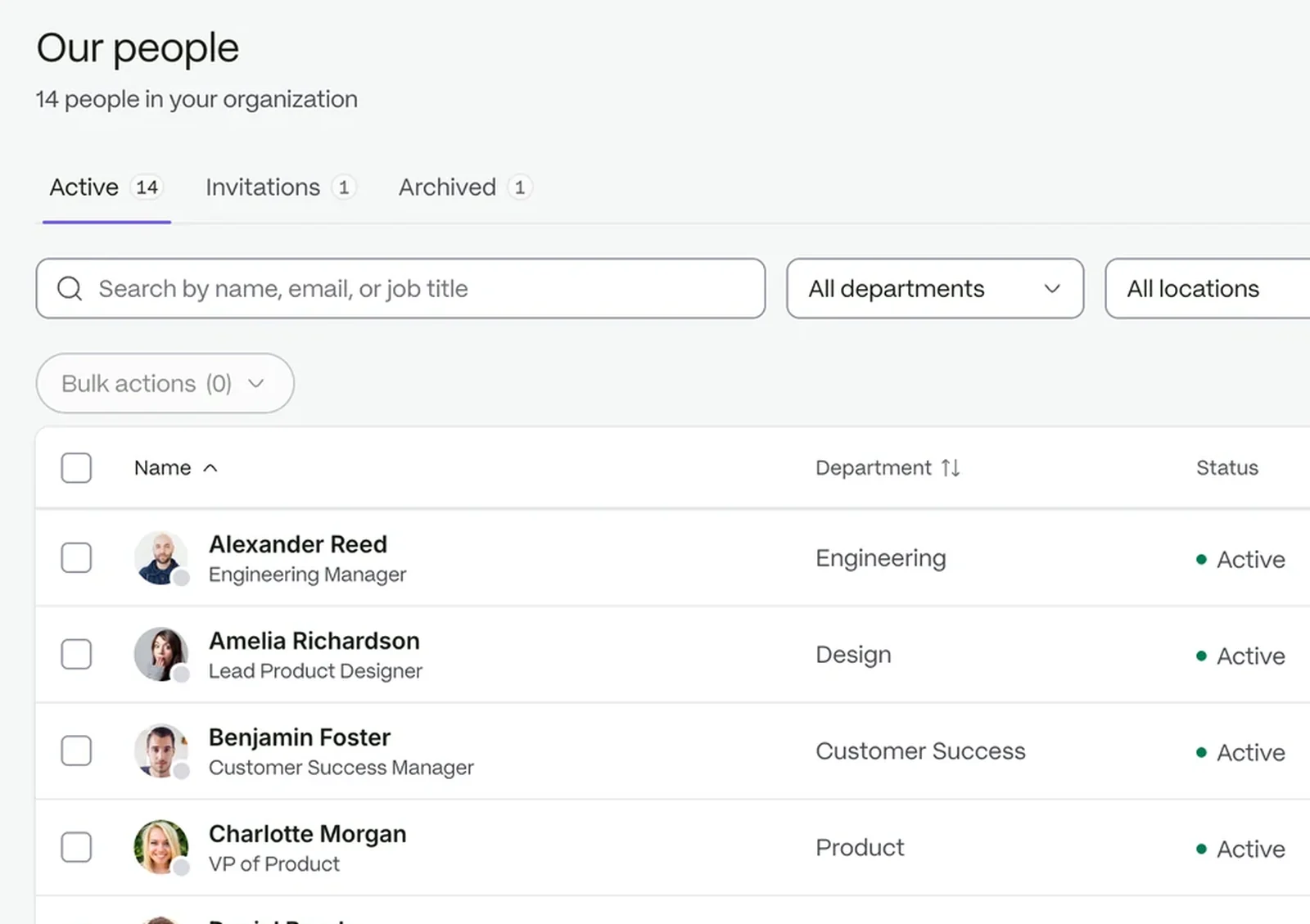
The people directory, searchable by name, email or job title

Put structure around growth

  1. 01

    Map your business

    Set up departments, locations and employment types the way your company is organised.

  2. 02

    Decide who can do what

    Give each role the access it needs, scoped to self, team, department, location or the whole organization.

  3. 03

    Route the work

    Requests follow approval steps, so decisions land with the right manager.

Access that follows your structure

People see what they should, and no more. Owner, Admin and Staff come with every workspace; create your own roles for the rest and scope each permission to the team, department or location it covers.

  • Sensitive permissions flagged before you save
  • Every access denial written to the audit trail
See security and permissions
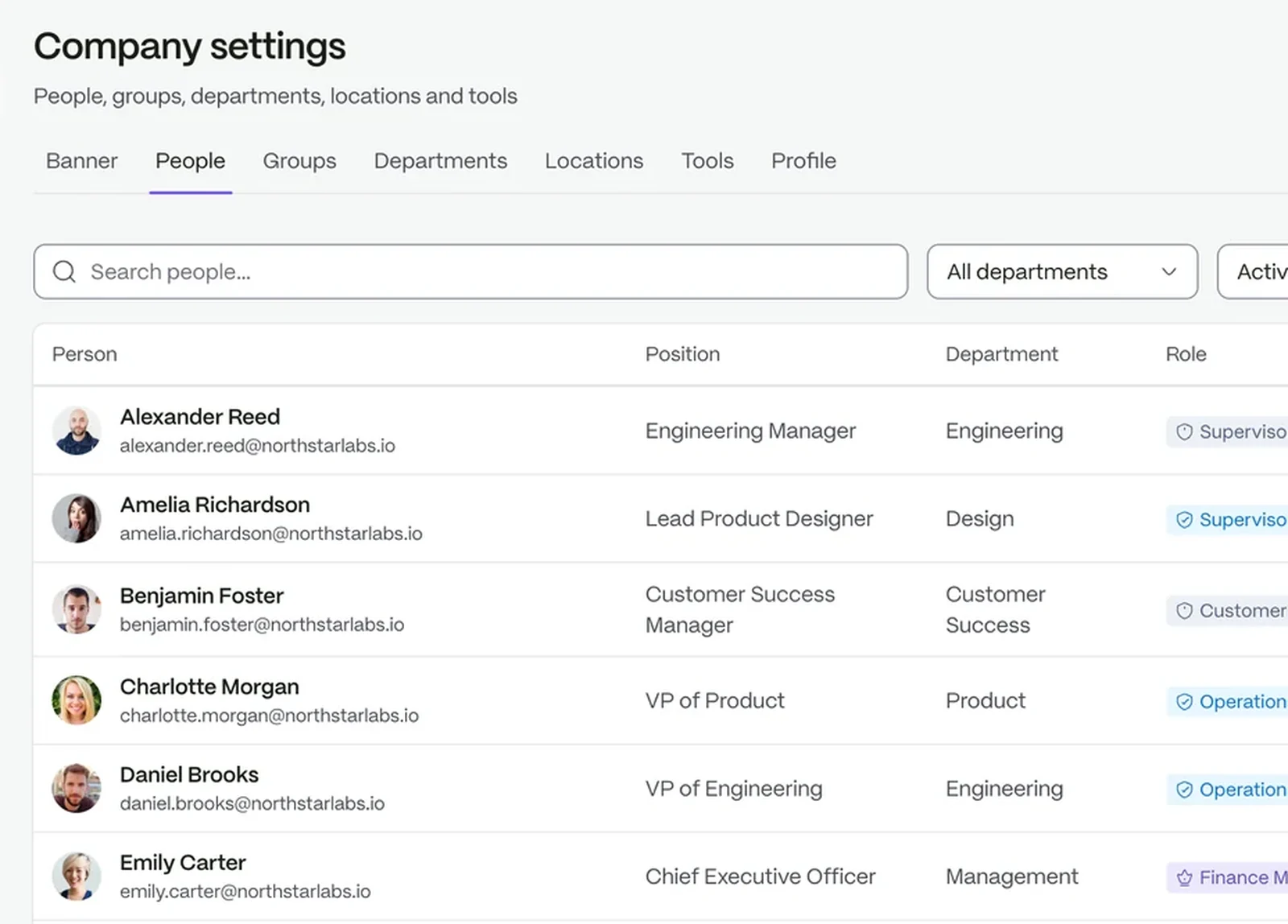
Company settings: every person with their position, department and the role that scopes what they can see

Rules that handle the routine

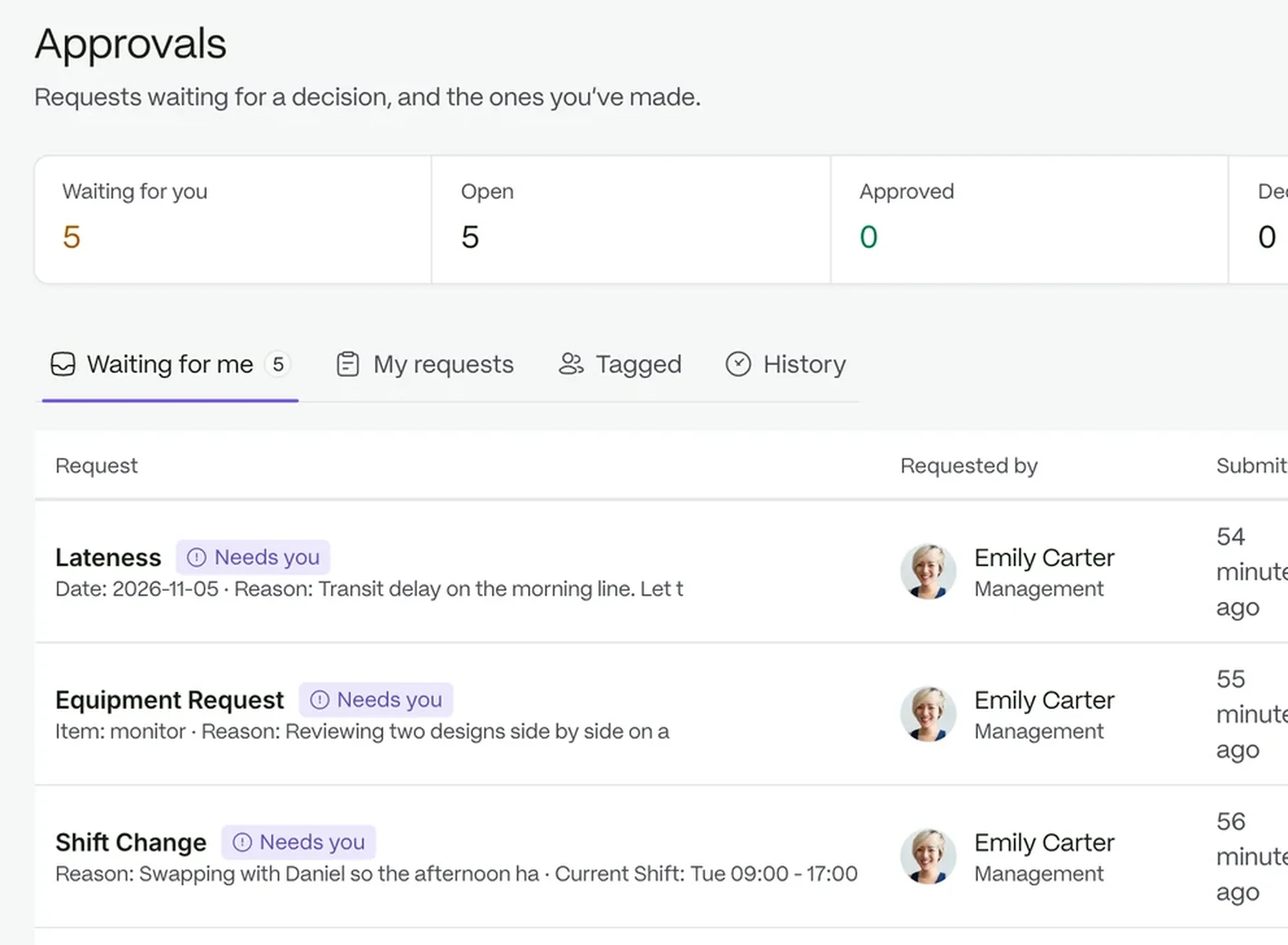
Let routine requests sort themselves out. Build approval chains per request type; a rule can approve a request outright, skip a stage or escalate it after a set number of hours.

  • Rules run in priority order, first match wins
  • Deadlines move requests from active to breached or escalated
The approvals queue with requests grouped by status

Hours from every site in one board

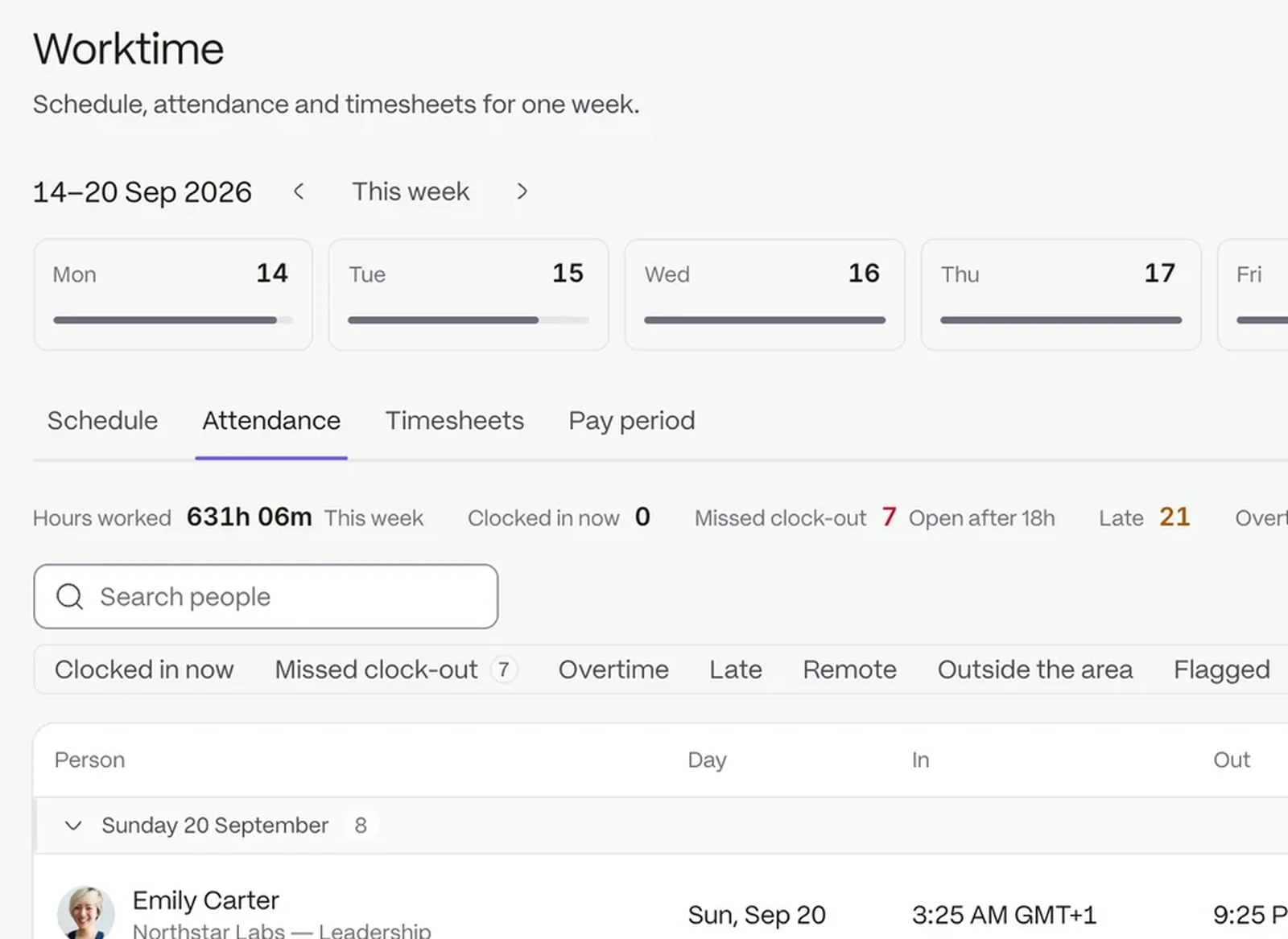
See hours from every location without chasing each one. Clock events feed one attendance board, then weekly timesheets with regular, overtime and break totals.

  • Each location carries its own coordinates and radius
  • Exceptions wait for a decision
The attendance board showing clock events across locations

See the picture across departments

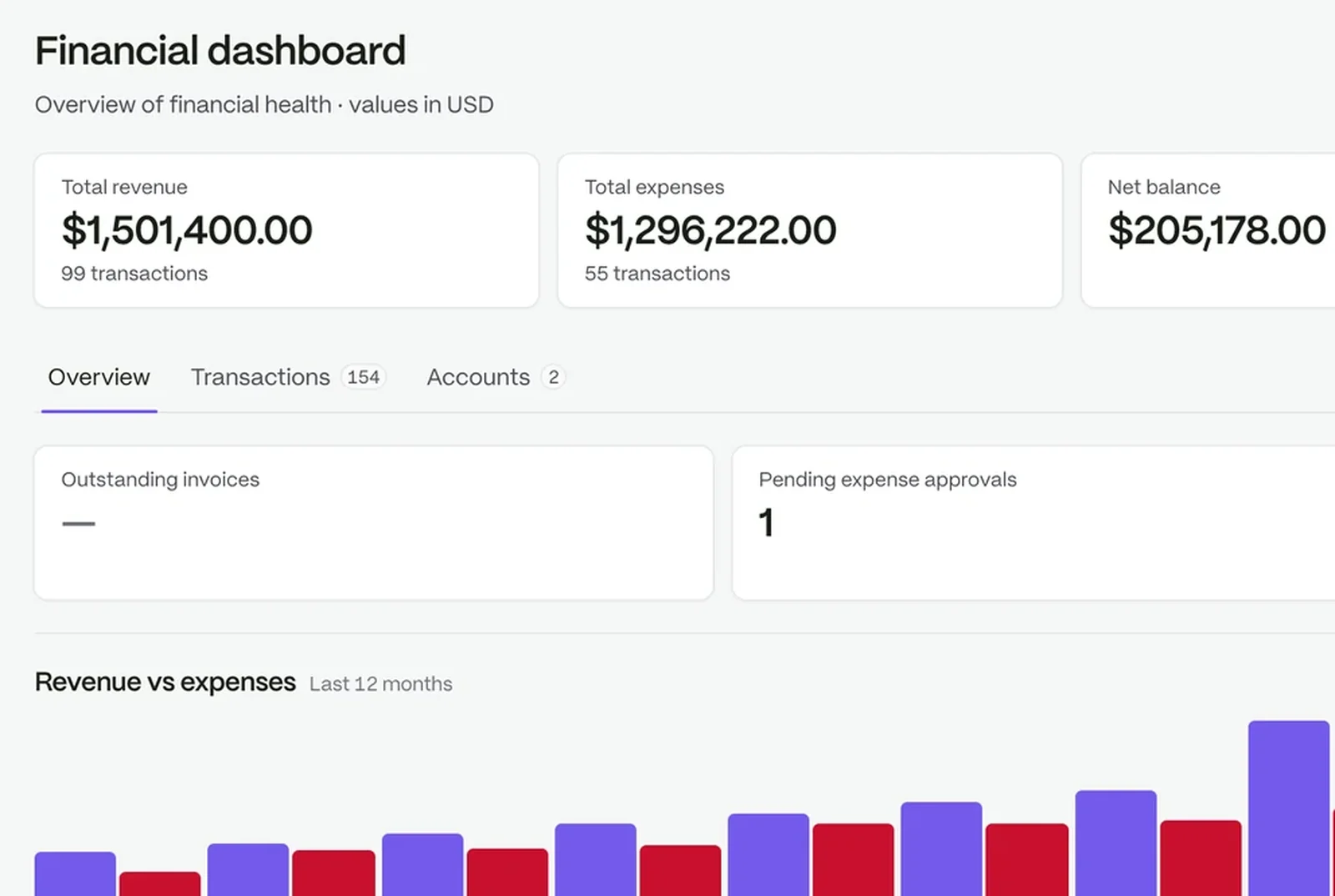
Leaders get answers without a trawl through files, because records, hours and requests live in one workspace.

A financial dashboard: revenue, expenses, net balance and twelve months of cash flow

Built to scale with your teams

  • Give each department its own viewShow department admins only the people and requests that are theirs.
  • Run every location the same wayUse the same request types and approval steps in every location.
  • Know who changed whatReview who changed what in the audit trail.

Bigger or unusual setups are welcome

If your business has complex structures, talk to us about a custom plan.

Questions people ask

Can different locations follow different rules?

Yes. Departments, locations and request types are set up around your business, and permissions can be scoped to a location.

Who can change roles?

Roles and Access is owner only.

Can we see who changed something?

Yes. The audit trail records changes and access denials.

Does it replace our payroll provider?

No. Payroll preparation closes each period on approved hours and exports a file for your provider.

The workspace your people will love to use.

Try it with your own team. Your own company AI comes with every plan.